Translate Slack messages instantly
Rimo brings AI-powered, real-time translation to your Slack workspace. Break language barriers and collaborate globally — without leaving Slack.
Features
Everything you need to go global
Powerful translation that works the way your team does.
Automatic Translation
Messages are translated automatically the moment they're posted — no action needed from your team.
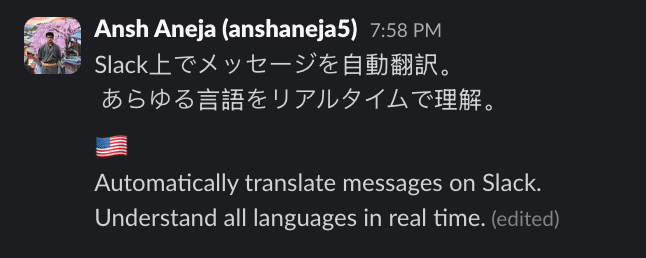
Add Translation to Your Message
Rimo appends the translation inside the message you sent, so the original and translation stay in one message and the conversation is easier to read. (Requires account connection.)
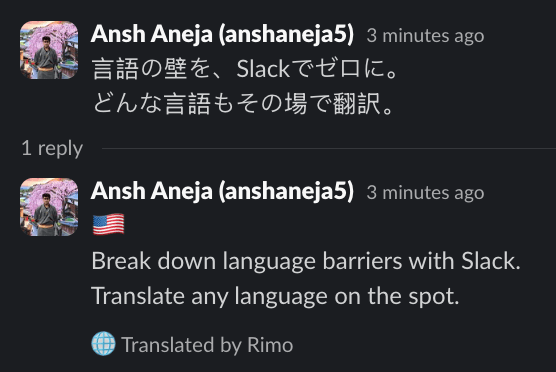
Thread Mode
Rimo posts the translation as a thread reply below the original message. Works out of the box with no extra setup.
Manual Translation
Translate any message on demand using flag emoji reactions.
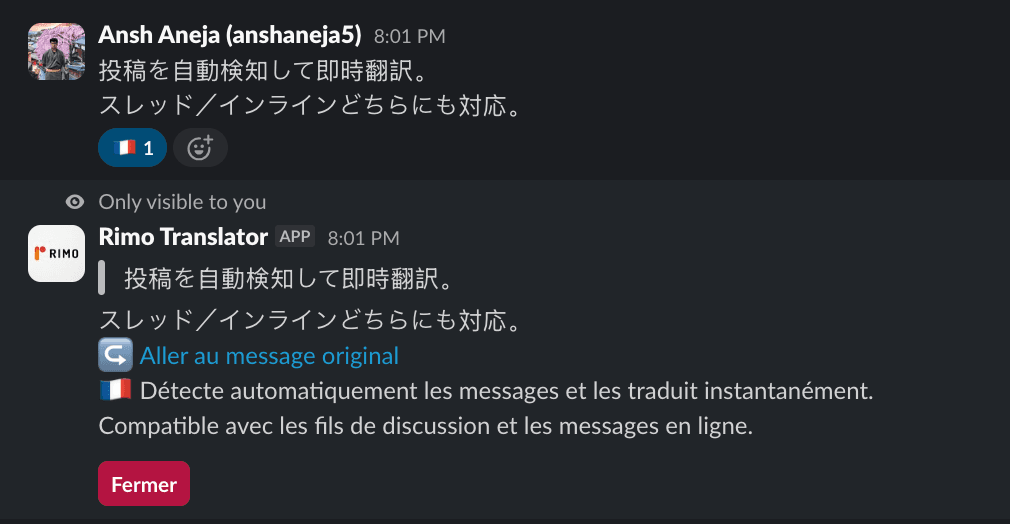
Reaction Translate
React to any message with a flag emoji 🇯🇵 🇺🇸 to instantly see a translation in that language.
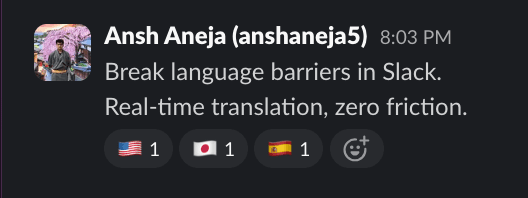
Auto Flag Reactions
Rimo automatically adds language flag reactions to messages so anyone can translate with a single tap.
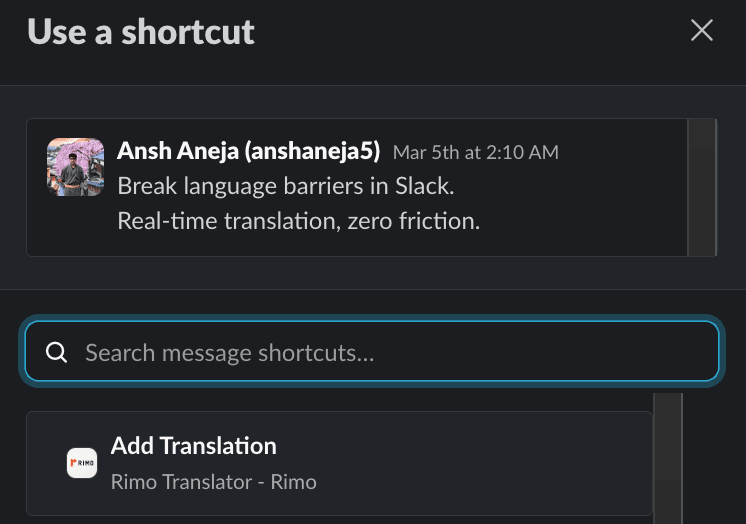
Message Shortcut
Use the Slack message shortcut menu to translate any message on demand — no emoji reaction needed.
Languages
Supported Languages
50 languages and growing — translate across your entire global team.
日本語
Japanese
English
English
Español
Spanish
Français
French
Deutsch
German
Italiano
Italian
中文
Chinese
한국어
Korean
Português
Portuguese
Русский
Russian
Nederlands
Dutch
Svenska
Swedish
Norsk
Norwegian
Suomi
Finnish
Dansk
Danish
Polski
Polish
Türkçe
Turkish
हिन्दी
Hindi
ไทย
Thai
Tiếng Việt
Vietnamese
Bahasa Indonesia
Indonesian
Bahasa Melayu
Malay
မြန်မာဘာသာ
Burmese
Tagalog
Filipino
العربية
Arabic
Don't see your language?
Request it attranslator-support@rimo.app
How it works
Up and running in 3 steps
Install
Add Rimo to your Slack workspace with one click. No configuration required to get started.
Configure
Set your workspace language preferences and choose which channels to auto-translate — right inside Slack.
View full setup guide →Translate
Messages are translated automatically, or react with a flag emoji to translate any message on demand.
Quality
Why not just machine translation?
Real Slack messages, translated by a typical machine-translation bot and by Rimo. Actual outputs, measured August 2026.
Original
明日のMTGは一旦リスケで。アジェンダは追ってフォローします。
Typical MT translation bot
For tomorrow’s MTG, I’ll go with Reské for now. The agenda will be followed later.
Rimo
Let’s reschedule tomorrow’s MTG for now. I’ll follow up with the agenda later.
“Reské”? MT treats リスケ (reschedule) as a name. Rimo reads the context.
Original
先ほどの件、田中さんに確認したところ、問題ないとのことでしたので、このまま進めます。
Typical MT translation bot
When I checked with Mr. Tanaka about the previous matter, he said there was no problem, so we proceeded as is.
Rimo
Regarding the matter earlier, I checked with Tanaka-san and they said it’s fine, so we will proceed as planned.
MT flips the tense — the team reads “already done” when the sender meant “about to do.”
Outputs from a real machine-translation-based Slack app and Rimo, same messages, August 2026. LLM translation takes a few seconds longer than raw MT — and gets the meaning right.
Free
20,000 chars / month
- ✓Auto translate
- ✓Reaction translate
- ✓Auto flag reactions
- ✓Thread reply & in-message translation
- ✓20,000 characters / month
Pro
300,000 chars / month
- ✓Everything in Free
- ✓300,000 characters / month
- ✓Priority support
Business
1,000,000 chars / month
- ✓Everything in Pro
- ✓1,000,000 characters / month
- ✓Dedicated support
Enterprise
Custom character limit
- ✓Everything in Business
- ✓Custom character limit
- ✓Custom contract & SLA
- ✓Dedicated support
or email us at
FAQ
Frequently asked questions
What languages does Rimo support?+
How are characters counted?+
Do I need to set up OAuth to use Rimo?+
What happens when I reach my monthly limit?+
Is my message content stored?+
Can everyone in the channel see the translations?+
Can the app be restricted to specific channels?+
Which AI vendors process the messages, and is anything stored?+
Translate Slack messages instantly
No credit card required · 20,000 characters free per month
Add to Slack — it's free